








10
Excelent

The site will open on the domain of the language you choose.

 Kinshasa, Congo-brazzaville
Scan a QR code to effortlessly connect to our local high-speed data network via an eSIM-compatible device at any location or time. Enjoy competitive pricing, dependable connectivity, and comprehensive customer support.
10
Excelent
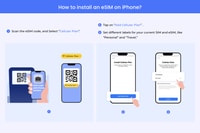
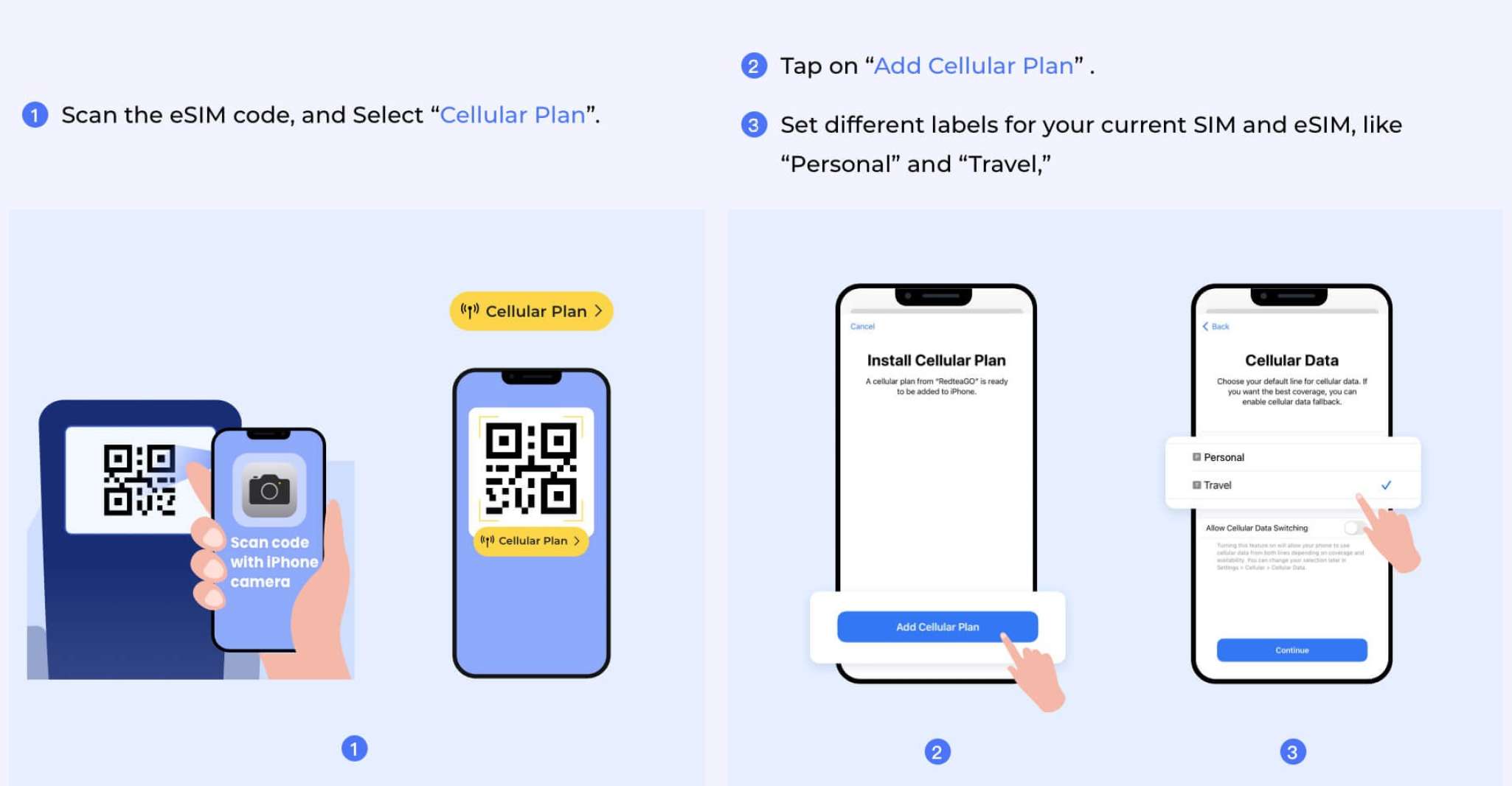
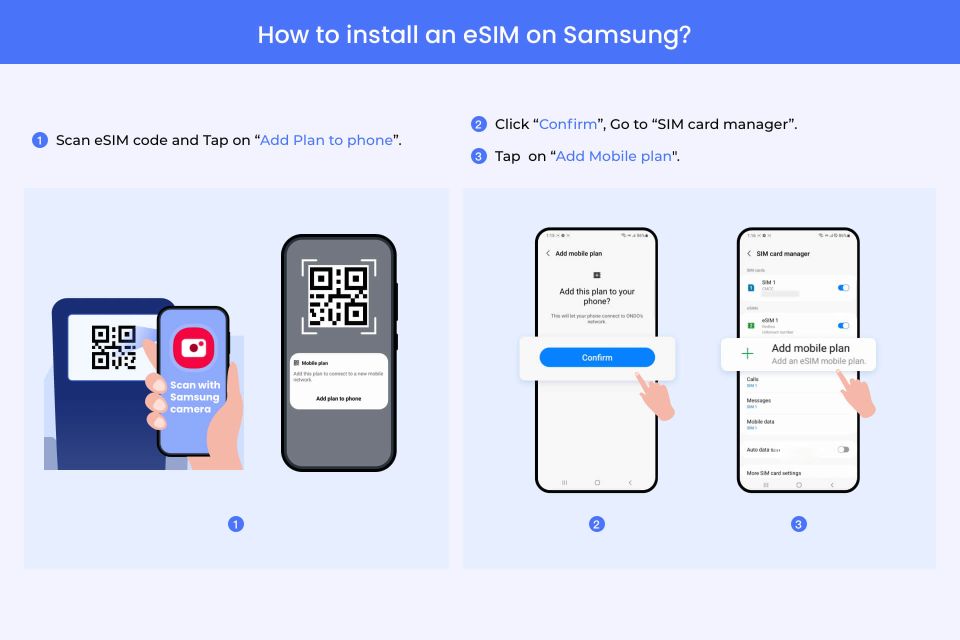
Goodbye to the inconvenience of physically carrying and managing multiple SIM cards, as well as navigating through various mobile network operators' locations. Our e-SIM service eliminates these hassles by providing users with an easy-to-install digital SIM card. Upon purchasing, you will obtain a QR code that you can scan onto your compatible device to activate the e-SIM at any location and time of your choosing.
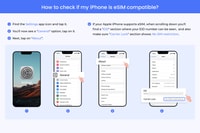
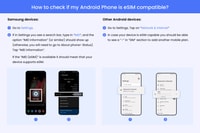
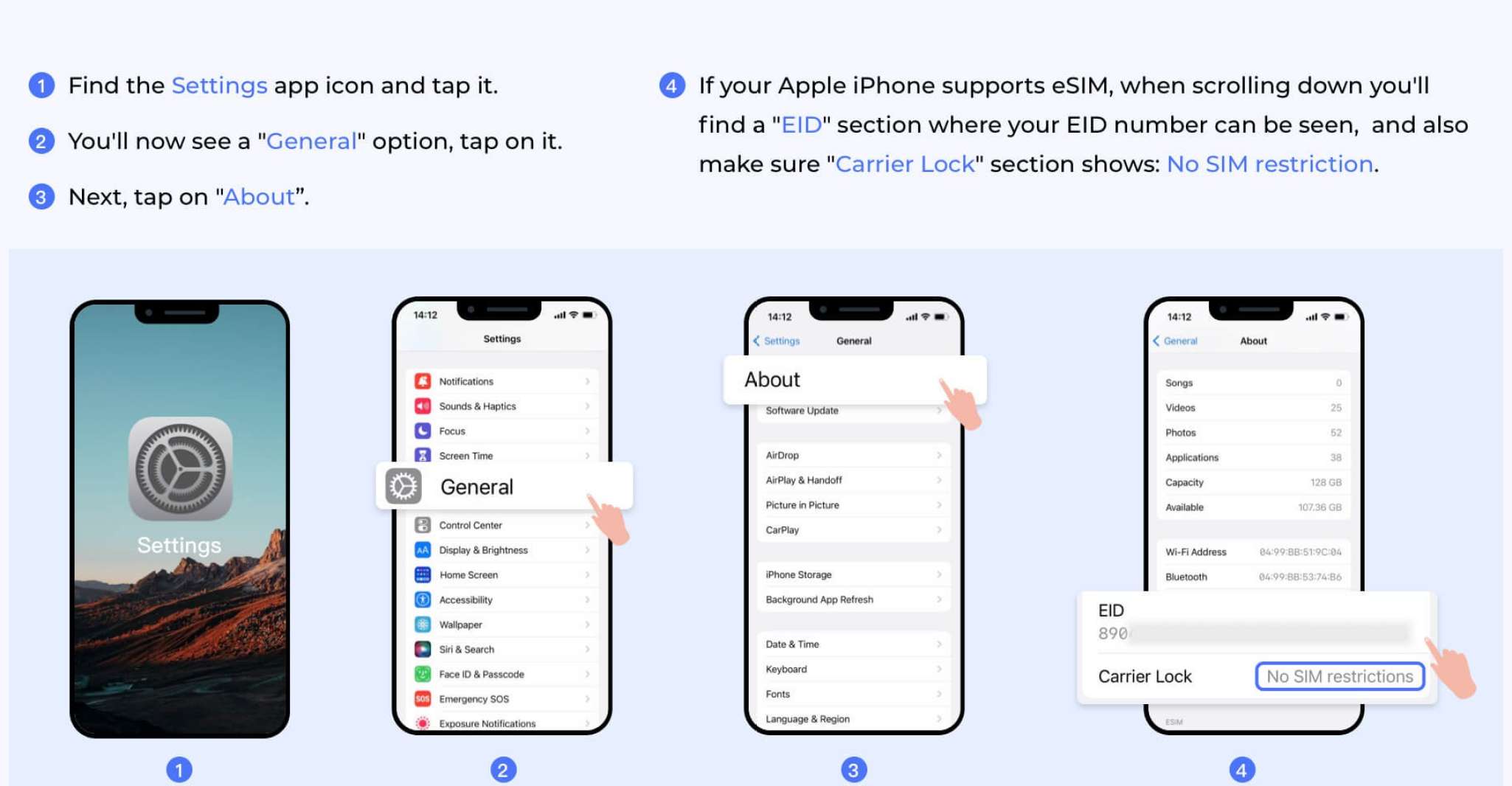
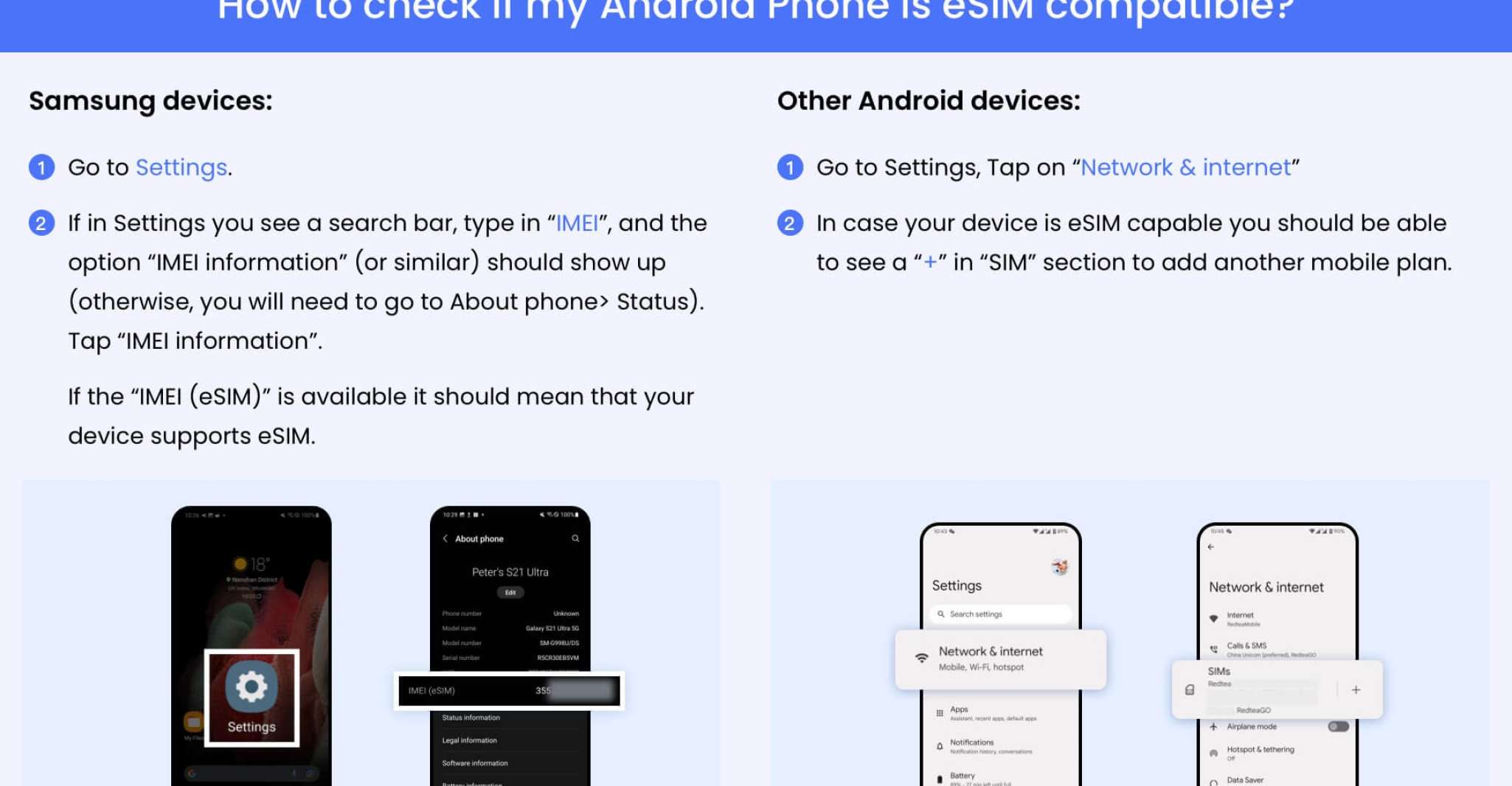
Our e-SIM offers a variety of data packages tailored to suit individual needs, including different volume sizes, duration periods, and geographical coverage across various countries. This flexibility ensures seamless connectivity regardless of your travel destination. Among the supported iOS devices, most newer iPhones beyond the XS model can utilize our e-SIM technology. To confirm compatibility for other devices, refer to the included photos during the setup process.
To install the e-SIM, connect your device to Wi-Fi or a cellular network. Ensure that roaming functionality is enabled for optimal performance. Should there be any difficulties establishing a connection, consult our troubleshooting manual for guidance.
For those planning a trip to Africa, our system includes specific configurations for accessing the e-SIM in 29 designated African countries, such as Reunion, Madagascar, Malawi, Botswana, Burkina Faso, Central African Republic, Chad, Congo, Congo-DRC, Côte d'Ivoire, Egypt, Gabon, Ghana, Guinea-Bissau, Kenya, Liberia, Mali, Morocco, Niger, Nigeria, Senegal, Seychelles, South Africa, Sudan, Swaziland, Tanzania, Tunisia, Uganda, Zambia. Additionally, if your current data usage has depleted, merely purchase another e-SIM to replenish your account balance. The APN (Access Point Name) for this purpose is set to "iboots," and the local network is Airtel.
 Book
Book
| Highlights | Ensure seamless connectivity during travel by scanning the QR code for the e-SIM installation. Enjoy high-speed LTE/5G networks anytime and anywhere. Purchase or top up the disposable data plan at your convenience. No physical disposables are generated. |
|---|---|
| Includes | The LTE/5G network offers excellent coverage with fast speeds. The system supports the establishment of a hotspot for additional devices. In case of accidental deletion of an eSIM, the device will automatically reinstall it. Customer support is available via email. Voice and SMS services are included. |

Free cancellation
To receive a full refund, cancellation must be made at least 24 hours prior to the scheduled event.

Reserve now & pay later
Ensure flexibility in your travel arrangements by booking your preferred location and avoiding any payment obligations for this moment.

Valid 7 - 30 days
Verify the schedule for available start times.
From
16€Per Person
Ensure flexibility in your travel arrangements by booking your preferred location and avoiding any payment obligations for this moment.
 Give as a gift
Kinshasa, Congo-brazzaville  See on map
The main benefit of using the e-SIM service is that it allows users to easily connect to a local high-speed data network via an eSIM-compatible device at any location or time.
The e-SIM service differs from traditional SIM cards by eliminating the need for physical SIM cards and the associated hassle of carrying and managing them. Instead, users receive an eSIM that they can scan using a QR code on their compatible device to activate the service at any location and time.
The e-SIM offers a variety of data packages tailored to suit individual needs, including different volume sizes, duration periods, and geographical coverage across various countries.
Most newer iPhones beyond the XS model can utilize the e-SIM technology.
Before scanning the QR code to activate the e-SIM, users need to enable roaming functionality on their device for optimal performance.
Yes, there is a dedicated troubleshooting manual available for users who encounter issues while installing the e-SIM.
The APN (Access Point Name) for accessing the e-SIM in African countries is set to 'iboots,' and the local network is Airtel.



Subscribe to our newsletter and get the best offers!
By entering your email address, you agree to receive personalized offers and automated commercial communications, including promotions about our products and services, as well as those from selected partners (without sharing your data with third parties). For more details or to withdraw your consent, please refer to our Privacy Policy. You can unsubscribe at any time via the link in the email.